
See the bigger market.
Browse the item catalogue, compare cities, and inspect price history alongside historical sell-order volume.
- Tier, enchantment and category filters
- Price age beside each observation
- Automatic price and volume refresh
Less time in spreadsheets.
More clarity before you commit.
Compare city prices, work out a production batch, and keep track of your trades. One desktop workspace, right beside your game.
Get Albion Trade Atlas Free during beta · Windows 10 / 11 · No card needed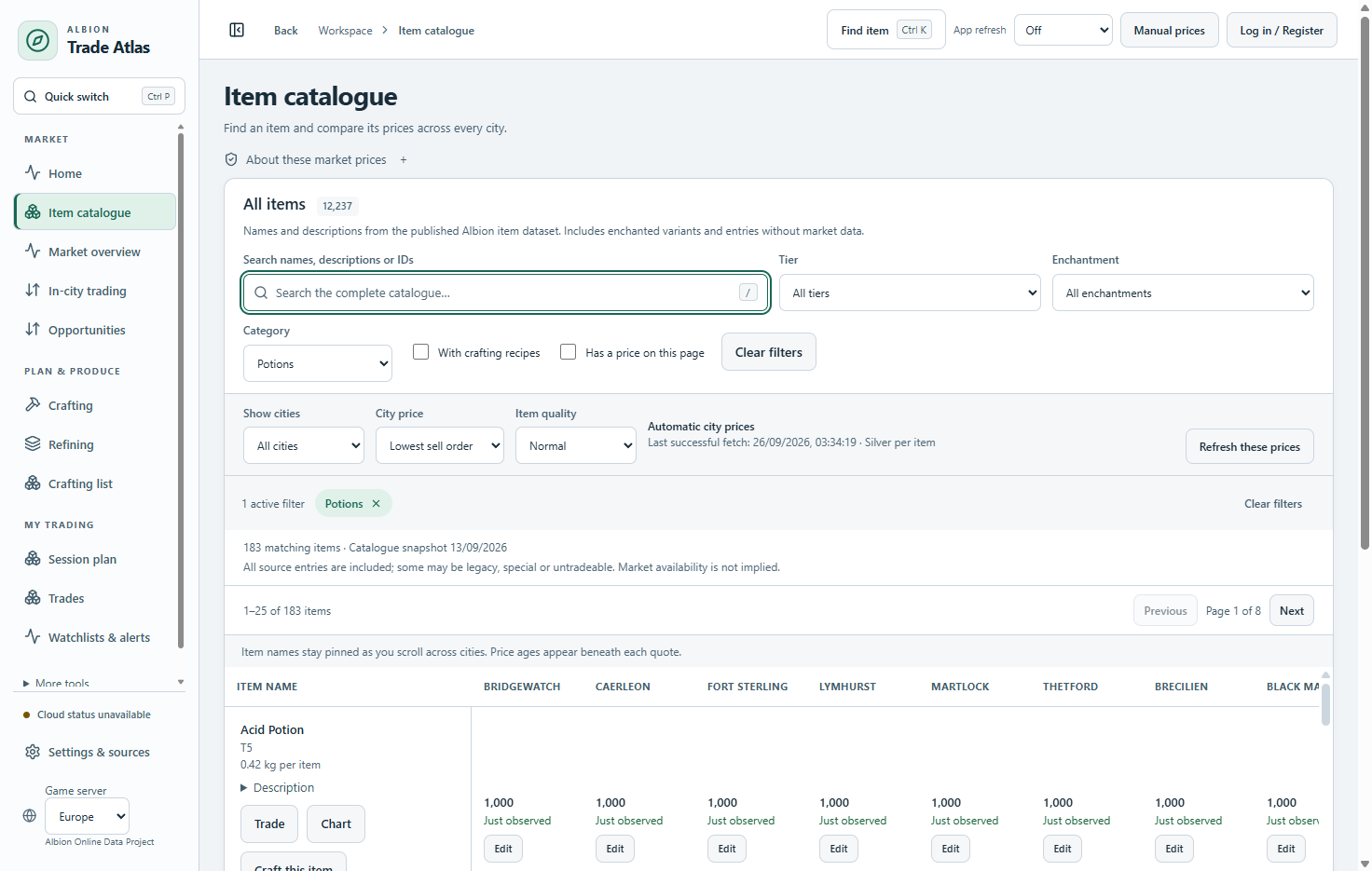
Find an item. Compare its city prices. See how old each observation is.
Actual app · Demonstration data, not live pricesFor the crafter comparing batches, the refiner budgeting focus, and the trader looking beyond a price spread.
Browse the item catalogue, compare cities, and inspect price history alongside historical sell-order volume.
Set your quantity and inspect ingredients, upfront silver, expected returns, transport weight and estimated profit.
Compare trades within a city or between cities. Account for fees, save a session plan, then record what actually happened.
You bring the strategy. Atlas keeps the prices, costs and assumptions together.
Start your first sessionPick your game server and city. Search for an item, or compare tiers and enchantments in a production family.
Set your batch size, fees and focus. Review ingredients, expected returns and price age. Override a price when you have a better quote.
Keep the plan beside your game. Verify the orders in-game, record your results, and compare them with your estimate.
Market observations are useful. Their age and coverage matter just as much.
About the Albion Online Data ProjectAtlas refreshes available observations automatically. Older prices stay visible and usable in estimates, with their age clearly shown.
Historical sell-order volume helps you judge activity. It is not guaranteed liquidity, a fill forecast, or historical buy-order volume.
Review fees and expected returns, adjust inputs, and verify the market in-game. An estimated profit is never a promised result.
The beta is free. The proposed business model keeps the core tools free, with optional cloud convenience later.
Your everyday market workspace.
$0 / during beta
No card. No subscription. No account for core tools.
The proposed Free plan retains these core tools after beta.
For routines that follow you across devices.
$5.99 / month, proposed
USD. Pricing and scope will be tested before launch.
A $59/year option is being considered for a later release.
Albion Trade Atlas is an independent Windows desktop companion for Albion Online. It helps you research markets and plan production and trades. It does not play the game, place orders, or execute trades for you.
No account is required for the core market tools and local trade records. Create a free account to use the same sign-in on the website and desktop. Your specialization levels can follow you between computers; plans and trade records remain local. Npcap is needed only if you choose to use the optional built-in contributor to upload the market information you browse in-game. It is not needed to read available prices.
Market observations come from the community-powered Albion Online Data Project. Available coverage depends on what contributors have observed. Historical volume describes reported sell-order activity; it does not provide historical buy-order sales volume. The website screenshots use demonstration data.
Closing the window can leave Atlas refreshing in the Windows tray while your PC is awake and online. The separate shared collector can continue checking available observations when the app is fully quit. Your app receives those updates after reconnecting. Refreshing cannot create a new in-game observation.
No. Calculations depend on prices, fees, return rates and your other inputs. Orders can change, volume may be missing, and an item may not sell. Check the assumptions and the current in-game market before committing silver.
Plans and trade records are saved locally, with export and recovery tools. Full cloud sync for these records is a proposed Pro feature, not a current beta feature. Save an export or recovery copy before moving computers.
The beta app is for 64-bit Windows 10 and Windows 11. You can browse this website on other devices, but there is no Mac, Linux, mobile or browser version of the trading workspace available today.
Download the portable Windows executable and keep it in a folder you can write to. Open that file to launch Atlas. For an update, fully quit Atlas from the tray first, then replace the existing executable with the latest download. Keep the same filename and Windows profile to retain your settings. The beta is currently unsigned, so Windows may show an unfamiliar-publisher warning.
Bring Albion’s markets into one desktop workspace.
Download the free Windows beta